

Match
Find the right asset before writing.
- Search native, custom, and media-level CatDV fields.
- Combine several fields with AND or OR rules.
- Choose what happens when a row finds no match or several matches.
Applications / Data Wrangler
AvailableData Wrangler matches each CSV or TSV row to the right CatDV asset, updates the fields you choose, and records the result. Set up the mapping once, then use it again when the next batch arrives.
How it works
01Map spreadsheet columns to the CatDV fields you trust for matching. Combine fields and choose exact, starts-with, or contains rules.
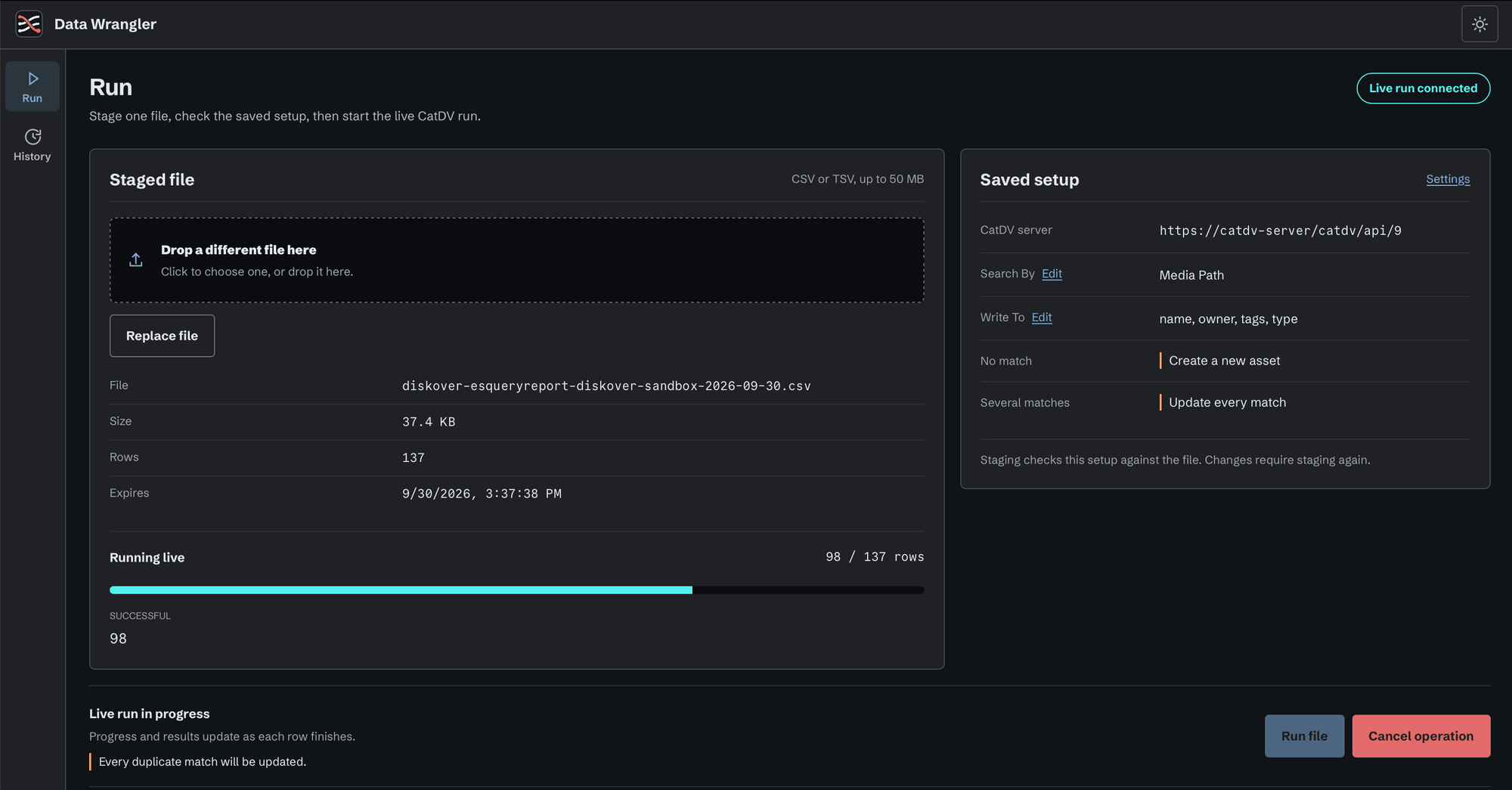
02Map the remaining columns to the CatDV fields you want to update. Set the policy for rows with no match or more than one match before the run starts.
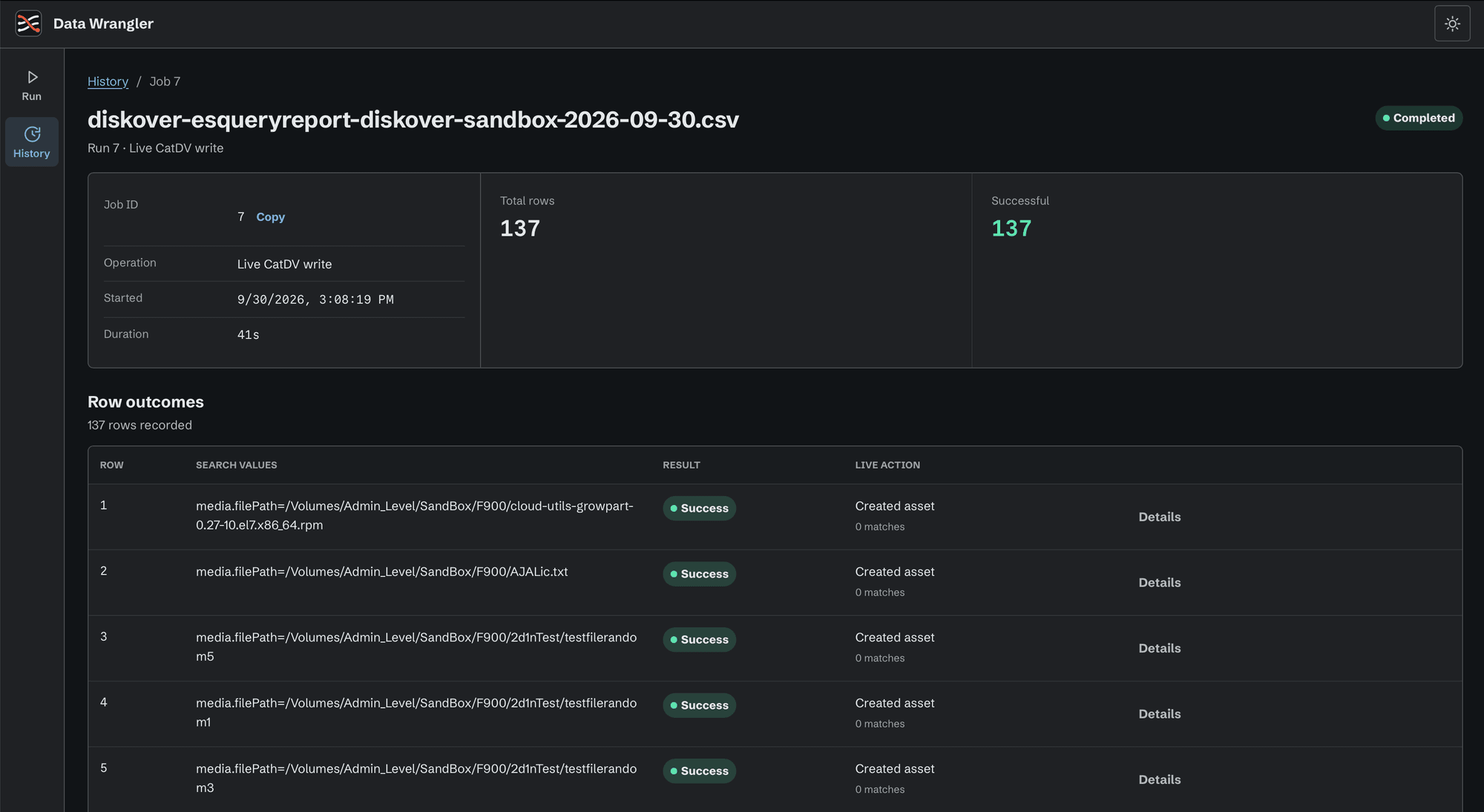
03Choose or drop a CSV or TSV file, watch progress, then review the match count, asset IDs, fields written, and any error for each row.
In the app
What it does
Match
Map
Review
Requirements
Applications / Data Wrangler
Tell us about your workflow and systems. We will contact you to arrange a trial. Data Wrangler installs and runs through Control Room.