
Chapter 1 / Getting started
1. What Relay is
Relay is a workflow automation node. You describe a piece of repeated work as a workflow - when this happens, do these steps - and Relay runs it on a computer in your facility, without anyone logged in, and keeps a record of every run.
A workflow has three kinds of parts:
- A trigger starts a run: a file arriving in a watched folder, a schedule, an incoming HTTP request, a message from an Iconik queue, an operator clicking Run now, or another workflow. A Workflow Test uses the selected trigger's input to start a separate Test job.
- Actions do the work: copy, move, rename, and delete files; send files to S3 or over SCP; run a shell command; make an HTTP request; work with Iconik assets and collections; read and update CatDV clips; read and transform metadata; set variables; log a message; start another workflow.
- Flow control decides the path: route with Switch rules that test a filename or any other value, repeat a path once for each item in an array, and end the run with Complete or Error.
Every run is a job. Relay records each job's trigger, every step's input and output, timing, and outcome, and keeps that history for 90 days by default. When something fails, the job tells you which step failed and why.
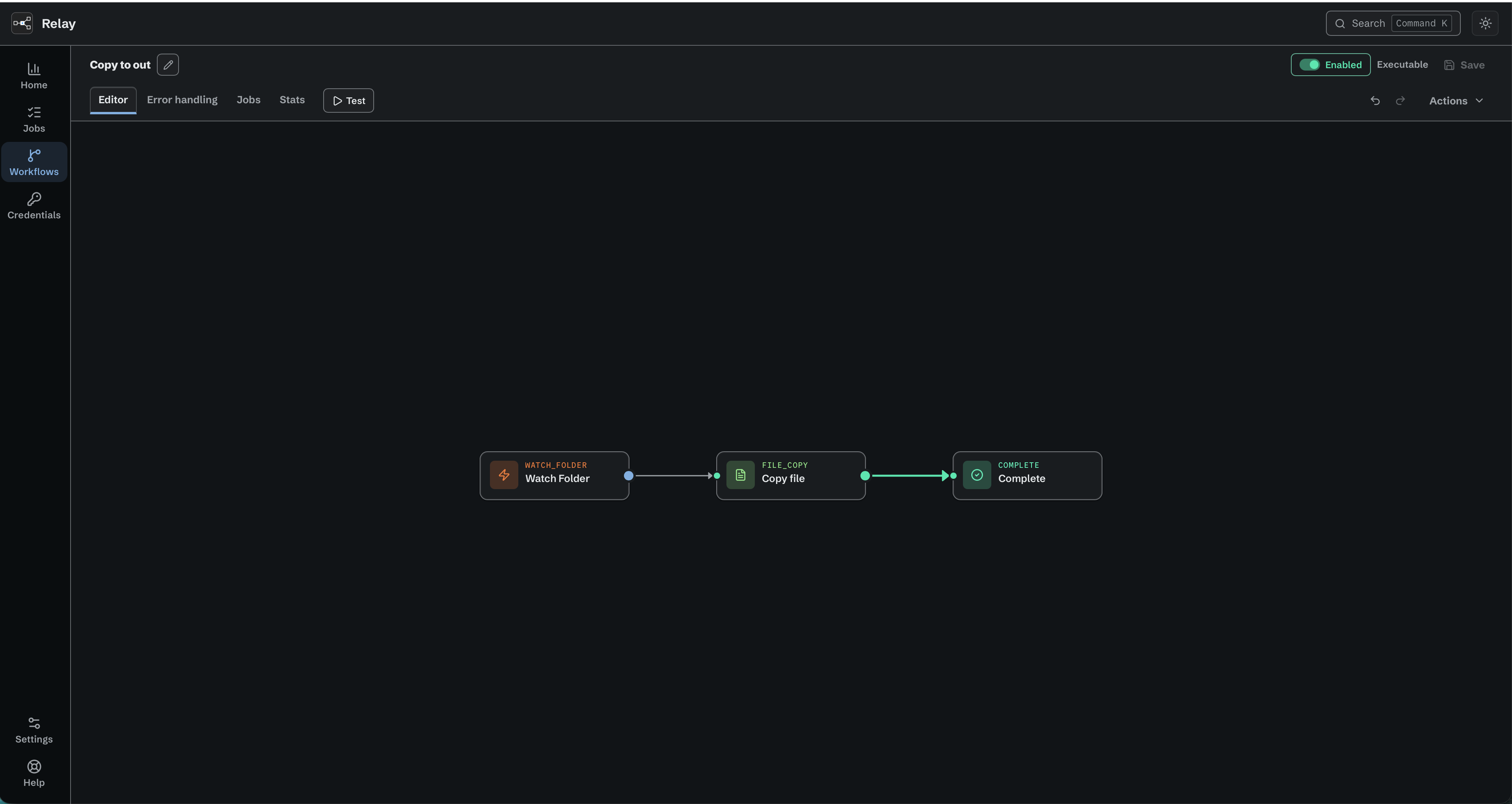
A saved, enabled workflow connects Watch folder to Copy file and Complete.
Two pieces of software
Relay is two things installed together.
The Relay service is a background process that starts with the computer and runs whether or not anyone is logged in. It watches triggers, executes workflows, stores credentials, and keeps the job history. On macOS it is a LaunchDaemon; on Ubuntu a systemd service; on Windows a Windows service.
The Relay editor is the desktop application (Relay.app on macOS) you open to build workflows, watch jobs, and change settings. It is a client of the service: closing the editor changes nothing about the production work the service is doing, or about a Workflow Test that has already started. A Test still waiting for its trigger does stop when the editor goes away (4.6). From the editor you can also manage additional Relay nodes on other machines (see chapter 14).
Relay and Control Room
Control Room installs Relay, hands it its license code, and is how you keep it up to date. Relay validates its own license from then on, and can check for and apply an update from the command line, but it never updates itself unasked. Control Room is North Shore Automation's free desktop app that lists NSA applications, takes your license code, installs the application, keeps it current, opens it, and uninstalls it. Once Relay is installed, it runs independently of Control Room - Control Room can be closed or even uninstalled and Relay keeps working. Chapter 2 covers the Control Room side; chapter 13 covers licensing and updates after install.
What Relay is not
Relay is not a media asset manager, a transcoder, or a scheduler for people. It does not index your storage, and it does not have a cloud console - the editor talks to the service on your machine (or on a node you have enrolled) directly. Relay is meant to be forgotten: once a workflow is running, the only reason to open Relay is to check what ran or to change something.
Who this manual is for
Technical operators and media engineers who are comfortable with file paths, credentials, and transfer protocols, and who are responsible for automation that other people depend on. Where a chapter assumes something beyond that - an S3 bucket policy, an SSH key, a cron expression - it says so.